

What Is a Traffic Bot? How It Works and When to Use One
More than half of all web traffic is generated by bots, according to Wikipedia's article on internet bots. Some of those bots index pages for search engines, some check prices, and some are traffic bots that visit websites on purpose to create sessions in analytics. If you run a website, part of your reports already comes from software, whether you sent it or not.
So what is a traffic bot, and when does it help instead of hurt? This guide explains where traffic bots are useful, how they work, where they cause damage and how to choose one. We keep one principle in view the whole way: bots are a testing tool, and the people who read your site are the audience that matters.
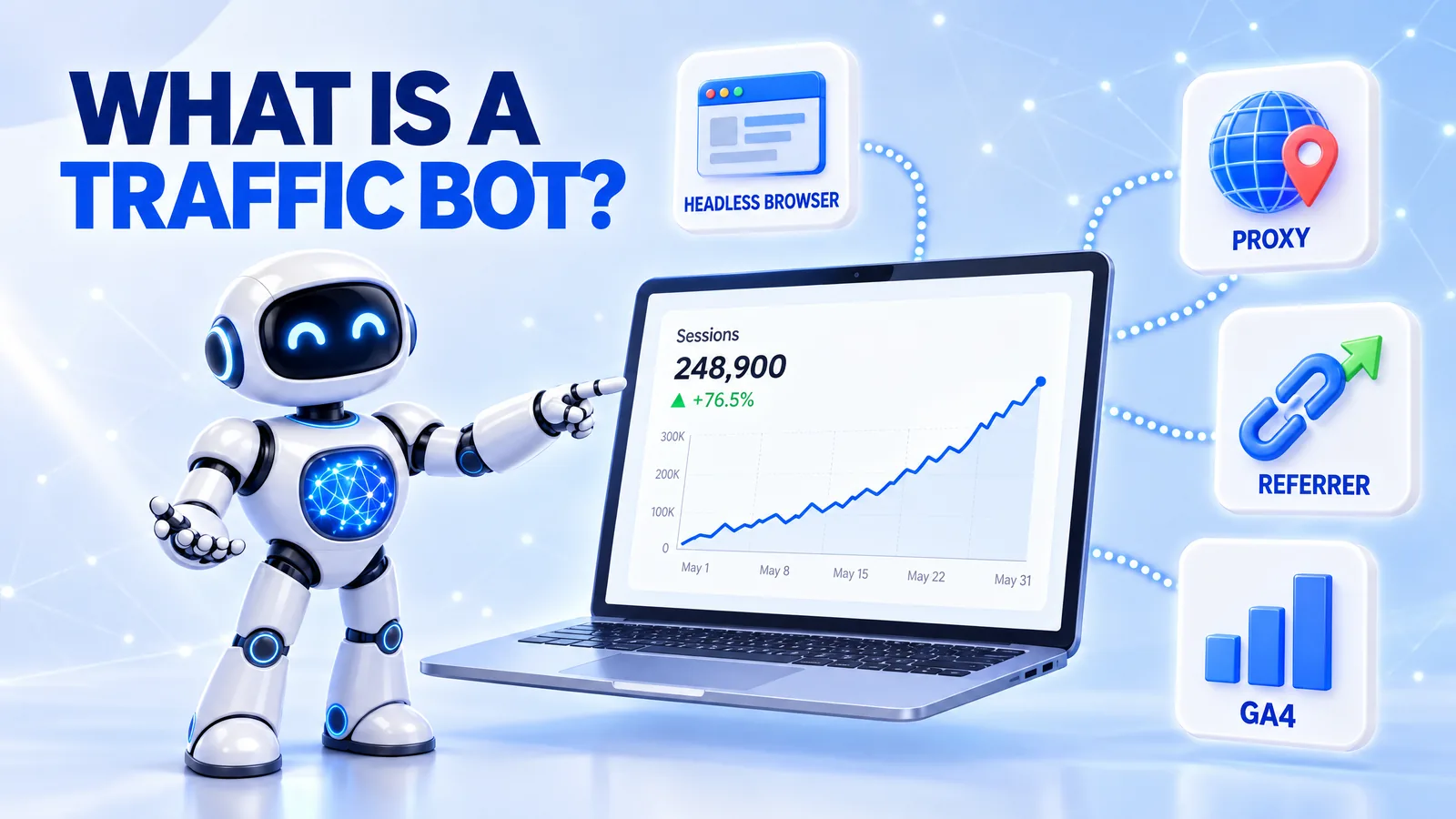
What a Traffic Bot Is
The word "bot" covers very different programs, and that causes confusion. A search engine crawler, a price scraper, a spam bot and a traffic bot all send automated requests, yet they have different owners and goals. When a marketer reads "bot traffic" in a report, the term alone does not say who sent it or why.
A traffic bot is software that visits a website on purpose to create visits that analytics tools record as sessions. It loads pages in a browser, can come from chosen countries and devices, and can scroll or click like a reader. A crawler, in contrast, reads pages to index them and usually identifies itself, so analytics tools leave it out of reports.
Picture two lines in your server log on the same morning. One request comes from Googlebot and fetches your sitemap. The other comes from a mobile Chrome browser in Germany, lands on your pricing page from a Google referrer and stays for 70 seconds. The first is a crawler, while the second can be a person or a traffic bot, and only the context tells you which.
A Three-Question Test for Any Bot
You can classify any automated visit with three questions. Who sent it: you, a vendor you hired, or an unknown third party? What does it load: raw HTML only, or full pages with scripts and analytics tags? Who does it serve: your own testing, a search engine, or someone who profits from fake numbers?
The answers matter because they decide your next step. A bot you sent for a test needs a label in your reports. A crawler needs nothing, and an unknown bot that runs your analytics tags needs filtering, because it distorts every metric you use to make decisions.
Where a Traffic Bot Helps: Load Tests, Analytics QA and Demos
Many website problems appear only when visitors arrive. A checkout that works for one tester fails under 300 parallel sessions. A GA4 conversion tag fires twice, and nobody notices until a month of data is wrong.
Waiting for real users to find these problems is expensive, because real users are the ones who suffer from them. Load testing, which Wikipedia defines as "modeling the expected usage of a software program by simulating multiple users accessing the program concurrently", exists for this reason (Wikipedia: Load testing). A traffic bot applies the same idea to marketing pages and analytics.
This is the job our traffic bot at VisitorBoost was built for. It sends automated visits that show in GA4, and you set the countries, devices, daily volume and on-site events for each campaign. Because the visits run your real analytics tag, you see the same reports a live campaign would produce before real customers depend on them.
Load and Stress Tests
A traffic bot can send a planned number of visits to a landing page before a launch. You learn whether the page stays fast and whether forms and checkout keep working at the expected peak. The argument is simple: a slow page found in a test costs nothing, while a slow page found on launch day costs sales.
Analytics and Tag QA
New GA4 setups often have silent errors, such as events that fire twice or conversions tied to the wrong page. A controlled run of bot visits with known numbers shows these errors fast. If you send 500 visits to one page and GA4 reports 1,000 page views, you know a tag fires twice.
Demos and Training
Agencies and SaaS teams need populated reports to train staff or to show a dashboard to a client. Test traffic on a staging site or a demo property fills those charts without touching production data. This keeps your real reports clean, which is the point of the whole exercise.
How to Send Bot Traffic to a Website for a Test
A safe test follows a fixed order. You define one goal, such as checking a checkout under load or validating one GA4 event. You pick one or two pages, a fixed volume and a time window, and you record that window in a test log or a GA4 annotation. After the run, you compare the reported numbers with what you sent.
This order works because it makes the bot visits measurable and separable. Every number in the report has an expected value, so any gap points to a real problem. It also keeps test data out of the periods you use for business decisions.
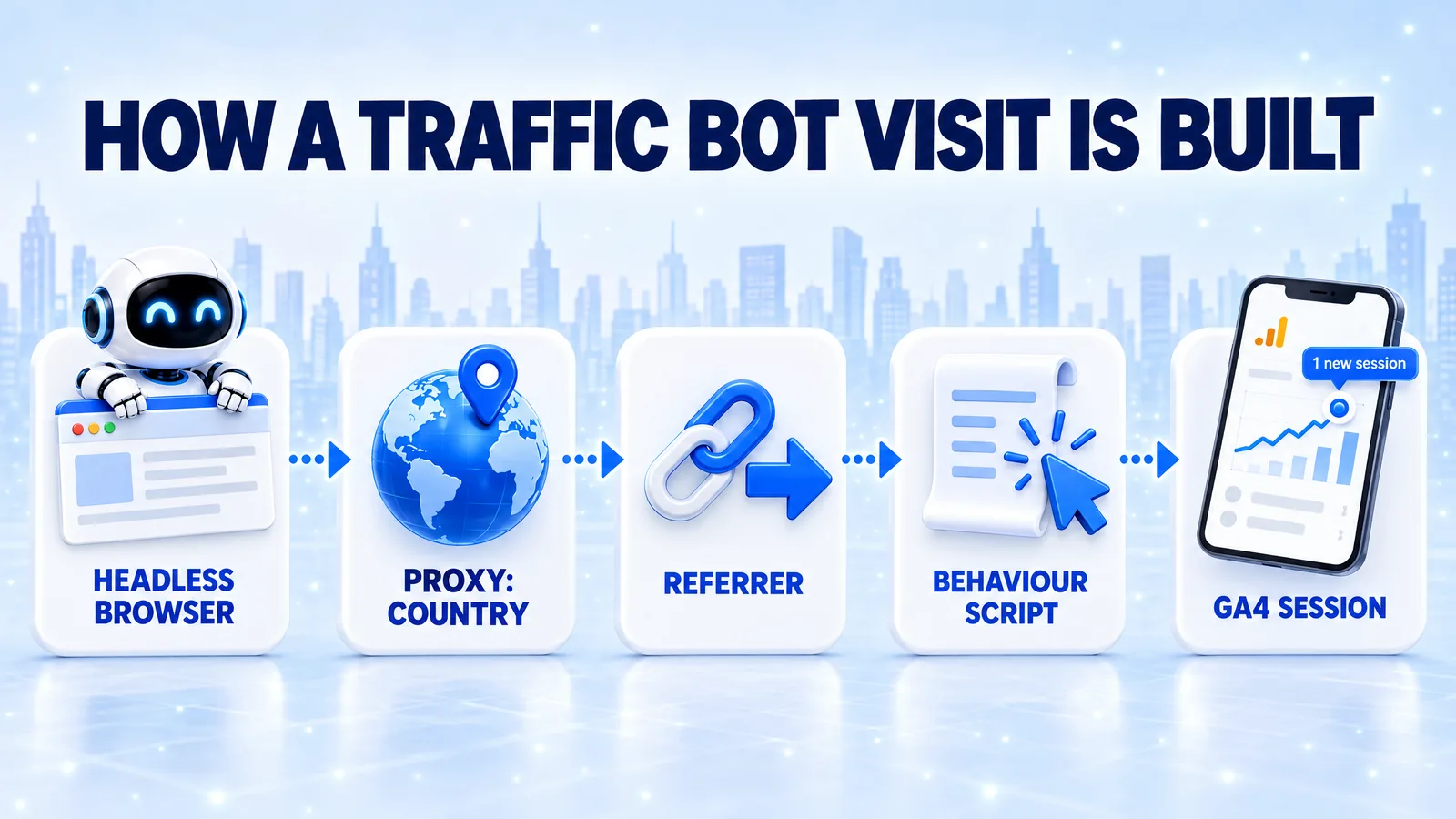
How a Traffic Bot Works: Headless Browsers, Proxies and Referrers
Analytics tools do not see a person. They see a browser, an IP address, a set of headers and a series of events. This is why a well-built traffic bot looks like a visit in reports, and why a badly built one is easy to spot.
Headless Browsers
Most modern traffic bots use a headless browser, which Wikipedia describes as "a web browser without a graphical user interface" (Wikipedia: Headless browser). It loads the page, runs JavaScript and fires the analytics tag the same way a normal browser does. Older bots only requested raw HTML, so analytics tags never ran and the visits never appeared in reports.
Proxies and Location
A proxy server is an intermediate computer that forwards the request, so the website sees the proxy's IP address instead of the bot's own. Analytics tools use the IP address to estimate the visitor's country and city. A bot that routes a visit through a proxy in Spain therefore shows up as a visit from Spain.
Referrers and User Agents
The HTTP referer is, in Wikipedia's words, "an optional HTTP header field that identifies the address of the web page from which the resource has been requested" (Wikipedia: HTTP referer). Analytics tools read it to assign a source, such as Google, Facebook or direct. The user agent is another header that names the browser and device, which is how a visit gets its mobile or desktop label.
Behaviour Scripts
After the page loads, the bot follows a script: it waits, scrolls, clicks an internal link or triggers an event. These actions create engagement time and event data in GA4. The quality of these scripts is the main difference between a useful test tool and a source of noise.
Take one visit planned as "mobile, Germany, from Google, 60 seconds". The bot opens a headless mobile browser, routes it through a German proxy, sets the referer to a Google address, loads your page and scrolls for 60 seconds. GA4 then records one mobile session from Germany with google as the source.
How to Read a Bot Visit in Your Own Data
You can verify any test run in four places. The GA4 Realtime report shows sessions arriving during the test window. The Traffic acquisition report shows source and medium, and the Tech and Demographics reports show device and country. Your server logs show the IP address and user agent of every request.
Checking all four matters because each one confirms a different part of the setup. If GA4 shows the visits but the country is wrong, the proxy setting failed. If the server log shows requests but GA4 shows nothing, the bot did not run your tag.
Where Traffic Bots Cause Harm: Ad Fraud and Fake Metrics
The same technique that tests a checkout can also fake success. Wikipedia explains that click fraud "occurs when a person, automated script, computer program, or an auto clicker imitates a legitimate user of a web browser, clicking on such an ad without having an actual interest in the target of the ad's link" (Wikipedia: Click fraud). Bot visits sent to pages with ads, or to an advertiser's paid campaigns, fall straight into that definition.
The second common misuse is fake metrics. A blog inflates its visits to win a sponsorship deal, or a startup presents bot sessions to investors as user growth. Referral spam is a third form, where bots send fake referrer information so that a spammer's domain appears in your reports.
These shortcuts fail on their own terms. Ad networks look for patterns, and Wikipedia notes that clicks from a small number of computers or a single geographic area "look highly suspicious" to them. Sponsors and investors check conversions and revenue, and bot sessions produce neither.
Many site owners also ask: are traffic bots illegal? In most countries the software itself is legal, and the risk comes from the use. Bot clicks on ads you are paid for, or fake numbers used to obtain money, can breach advertising contracts and fraud laws, and a lawyer in your country gives the reliable answer for a specific case.
Three Rules That Keep Bot Traffic Safe
- No bot visits on pages that show ads, and no bot clicks on ads of any kind.
- No bot visits in reports that you share with sponsors, investors or clients as audience numbers.
- A separate GA4 property or a clear label for every test, so test data never mixes with business data.
These rules protect two things a traffic bot cannot replace: your standing with ad networks and the trust of the people who read your reports. Breaking them buys a short-term number and creates a long-term problem.
Traffic Bot vs Real Visitors: How to Tell Them Apart
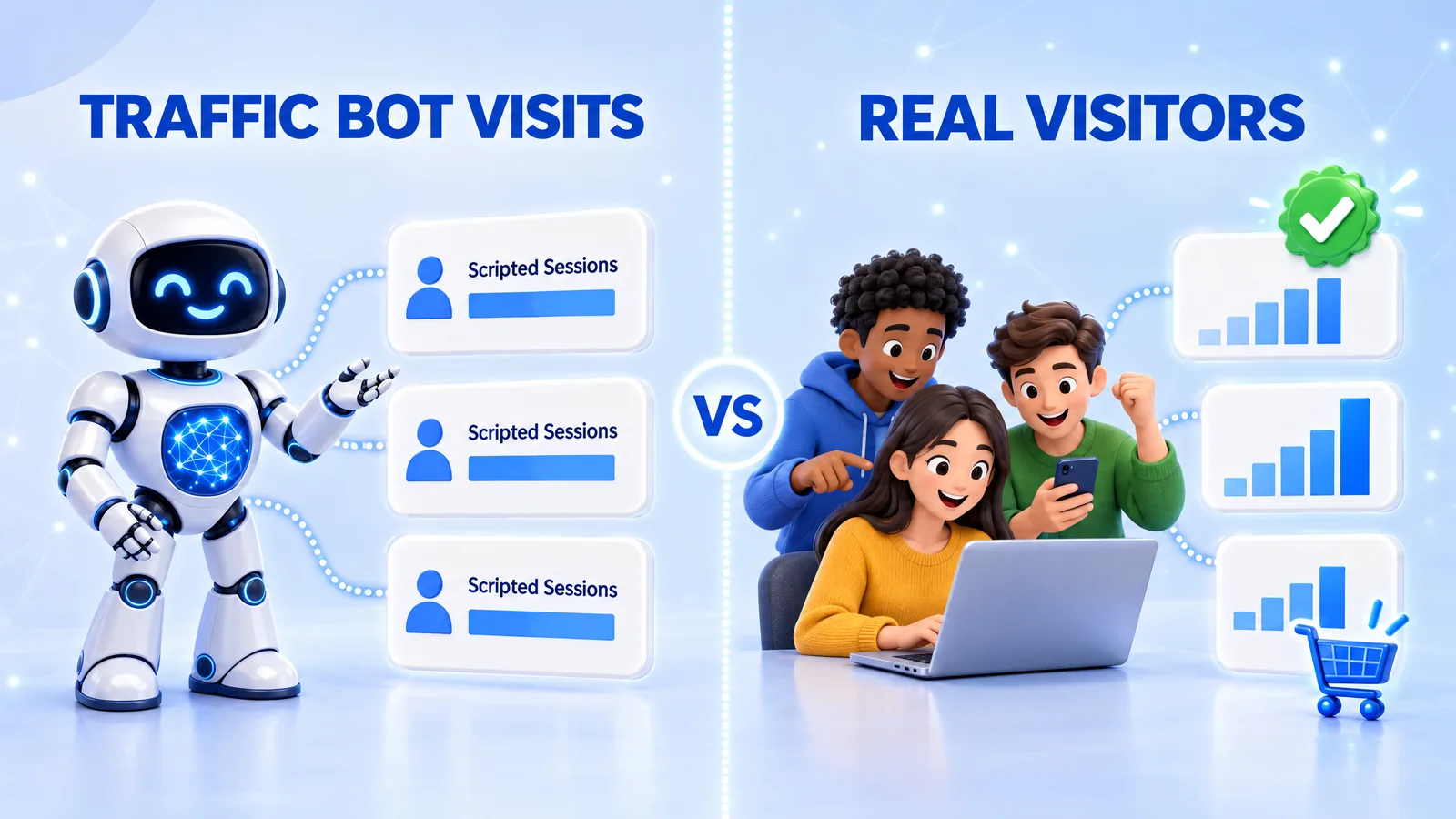
Human visits and bot traffic can look similar in top-line numbers, and that is where many reports go wrong. A week with 5,000 extra sessions looks like growth until you see that sign-ups stayed flat. Without a clear separation, you cannot tell whether a campaign worked or a test is still running.
The difference shows up in behaviour, not in volume. A bot follows its script, so its sessions look alike. People behave unevenly: some leave in five seconds, some read for four minutes, and a few come back and buy.
How to Keep Test Traffic Out of Your Business Reports
The cleanest method is a separate GA4 property for tests, or a staging copy of the page with its own tag. When a test must run on the live site, a dedicated campaign name in the UTM tags, such as utm_campaign=bot-test-october, lets you exclude the test with one comparison or segment. GA4 removes known bots automatically but cannot recognise a test you run yourself, so the campaign label is the simplest way to filter bot traffic in GA4 for your own tests.
This approach works because it moves the separation to the moment of collection instead of the moment of analysis. A label added before the test costs seconds. Untangling mixed data afterwards can take days and still leave doubt.
How to Choose a Traffic Bot
Traffic bot offers range from desktop scripts to managed services, and their promises often sound the same. Some deliver visits that never run your analytics tag, so the reports show nothing. Others send every visit from one data center, which makes the test useless for country or device checks.
Five criteria separate a useful tool from a source of noise:
- Analytics visibility: the visits run your GA4 tag and appear in reports.
- Targeting: you can set countries, devices and traffic sources per campaign.
- Control: you set daily volume, session length and the pages each visit covers.
- A free test: a trial lets you verify the first three points on your own site before you pay.
- Clear terms: pricing, refund rules and the vendor's description of how visits are made are public.
Each criterion maps to a test goal from earlier in this guide. Analytics visibility is required for tag QA, targeting for country and device checks, and control for load tests. A free test and clear terms protect your budget, because they let you confirm the claims instead of trusting them.
If you want to see specific tools side by side, our review of the best traffic bots compared covers setup, targeting, behaviour controls and pricing. The safest first run uses one page and a small volume. If GA4 matches what you ordered, you can scale with confidence, and if it does not, you have lost very little.
Conclusion: Bots for Testing, People for Growth
A traffic bot is a tool, and its value depends on the job you give it. For load tests, analytics QA and demos, it gives you fast, measurable data before real customers arrive. For ad revenue, sponsor reports or investor decks, it creates risk and numbers nobody can use.
The rule we follow at VisitorBoost is simple: test with bots, grow with people. When the goal is readers and customers, the work moves to search, content and campaigns, and the next question becomes how to increase website traffic from the channels where your audience already spends its time.